For dinners made of several packets
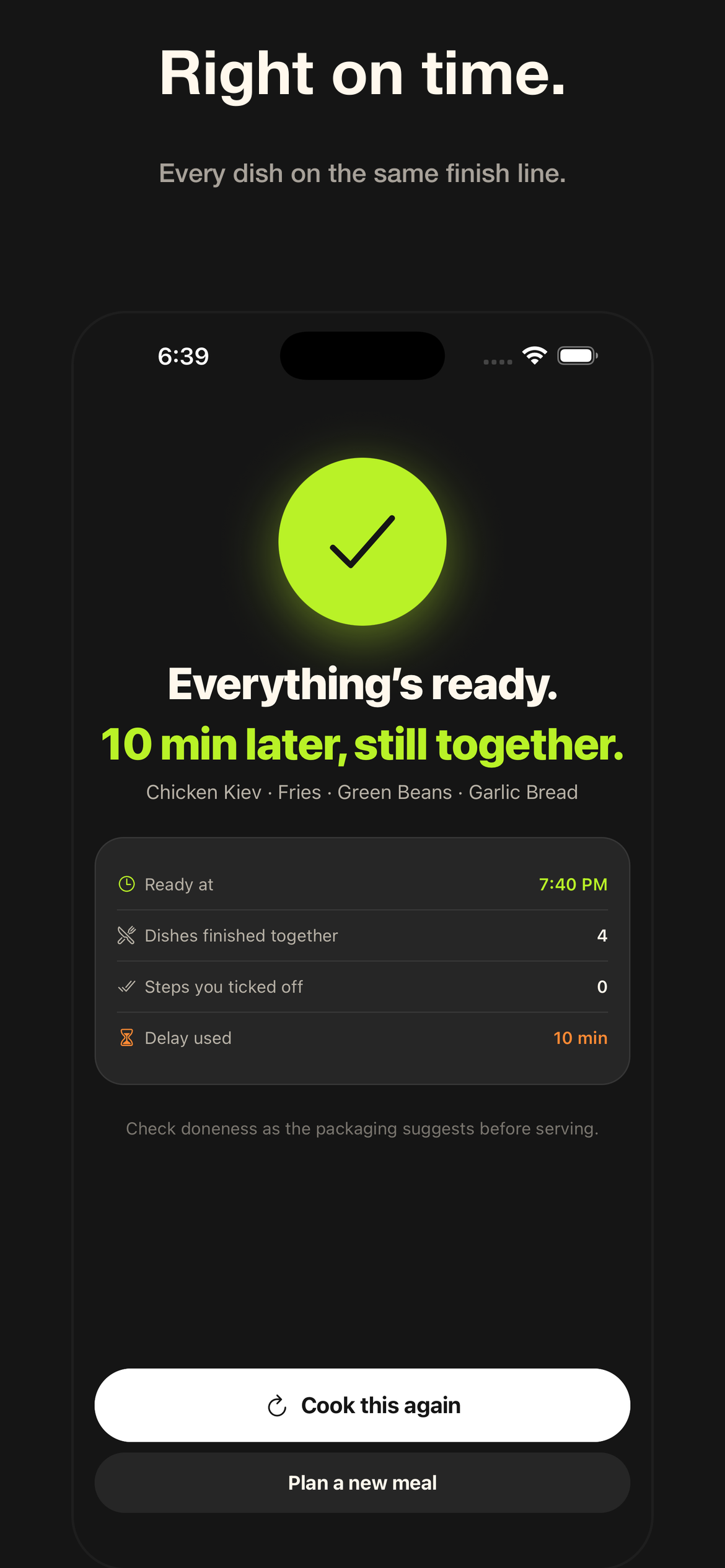
Everything ready.
Together.
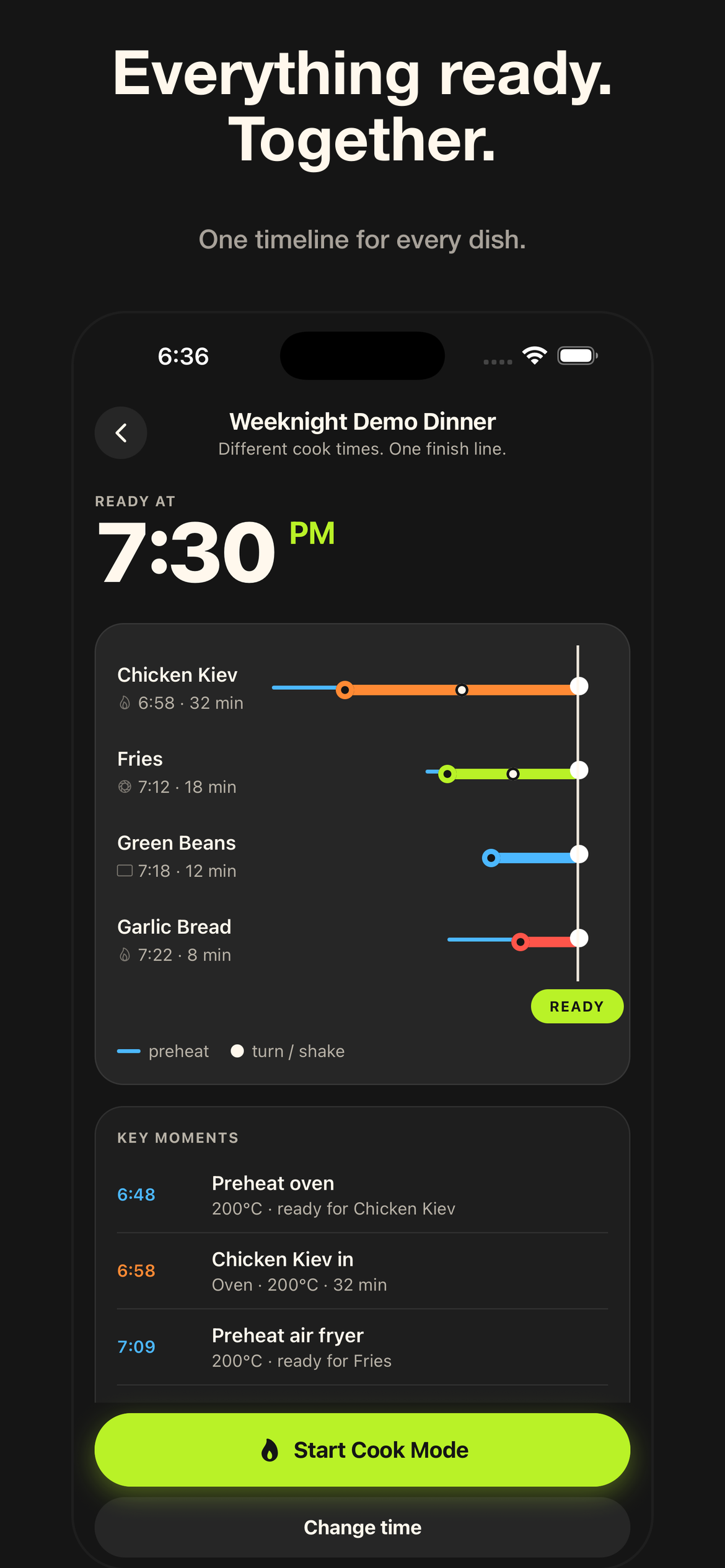
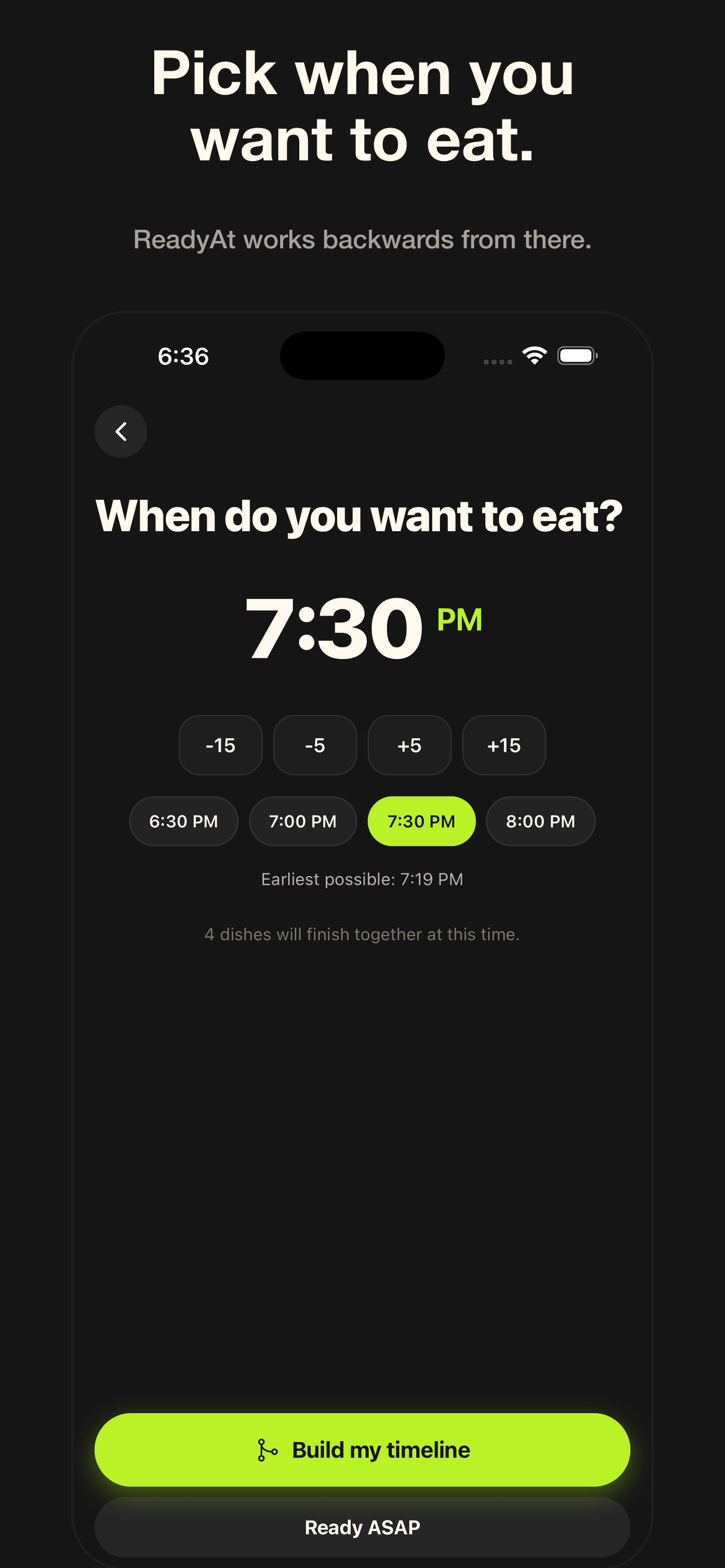
Pick when you want to eat. ReadyAt reads the instructions on your packaging and works backwards, so every dish hits the table at the same time.
Coming to the App Store and Google Play. Free, no account needed.
How it works
Four steps from packets to plates
The order matters. Every step feeds the next one, and you confirm before anything is scheduled.
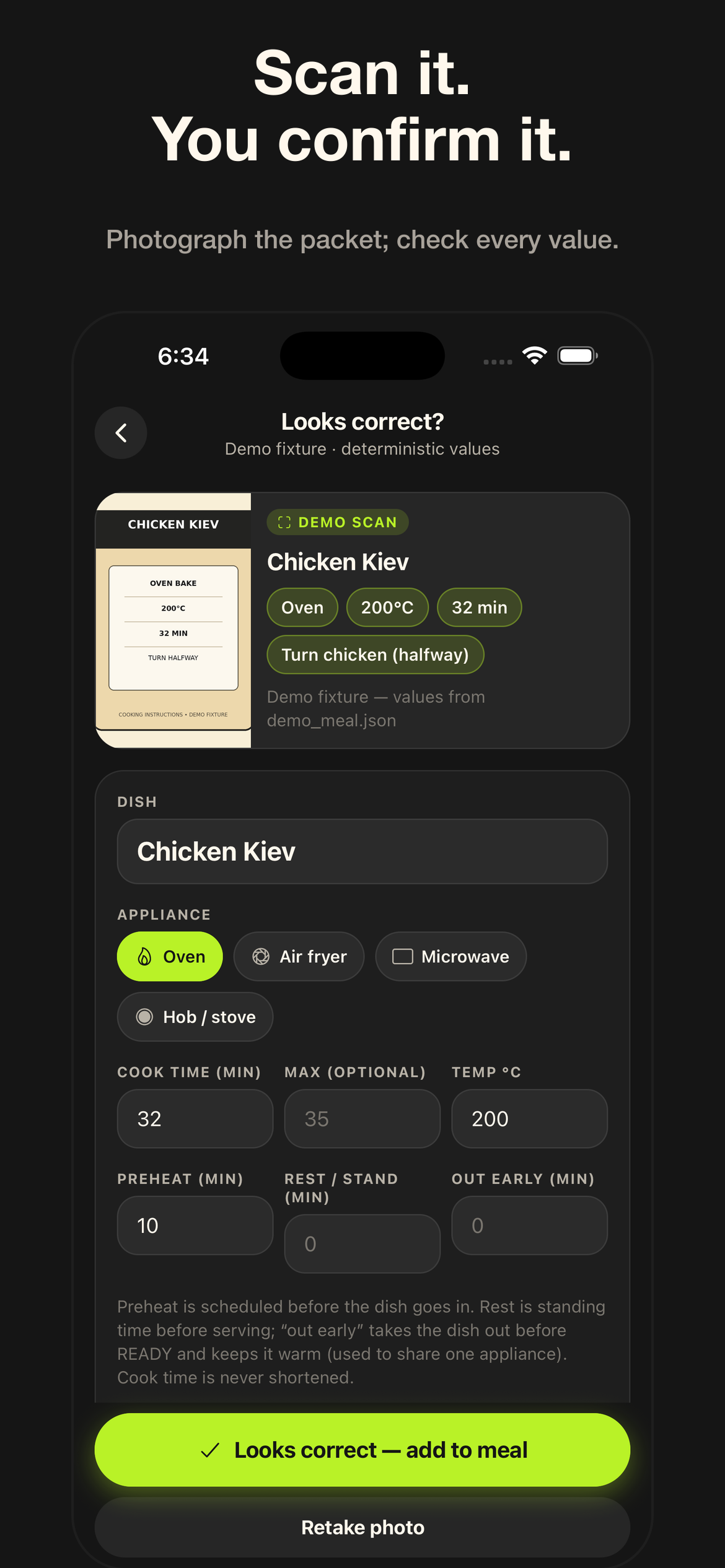
Photograph the cooking instructions on the packaging, paste a recipe link, or type them in. ReadyAt shows what it read and you check every value before it joins the meal.
Choose when you want to eat, or say "as soon as possible" and let the longest dish decide.
Every dish gets a start time, preheats included, all ending on the same finish line. If two dishes need the oven at different temperatures, it says so and suggests cooking one first.
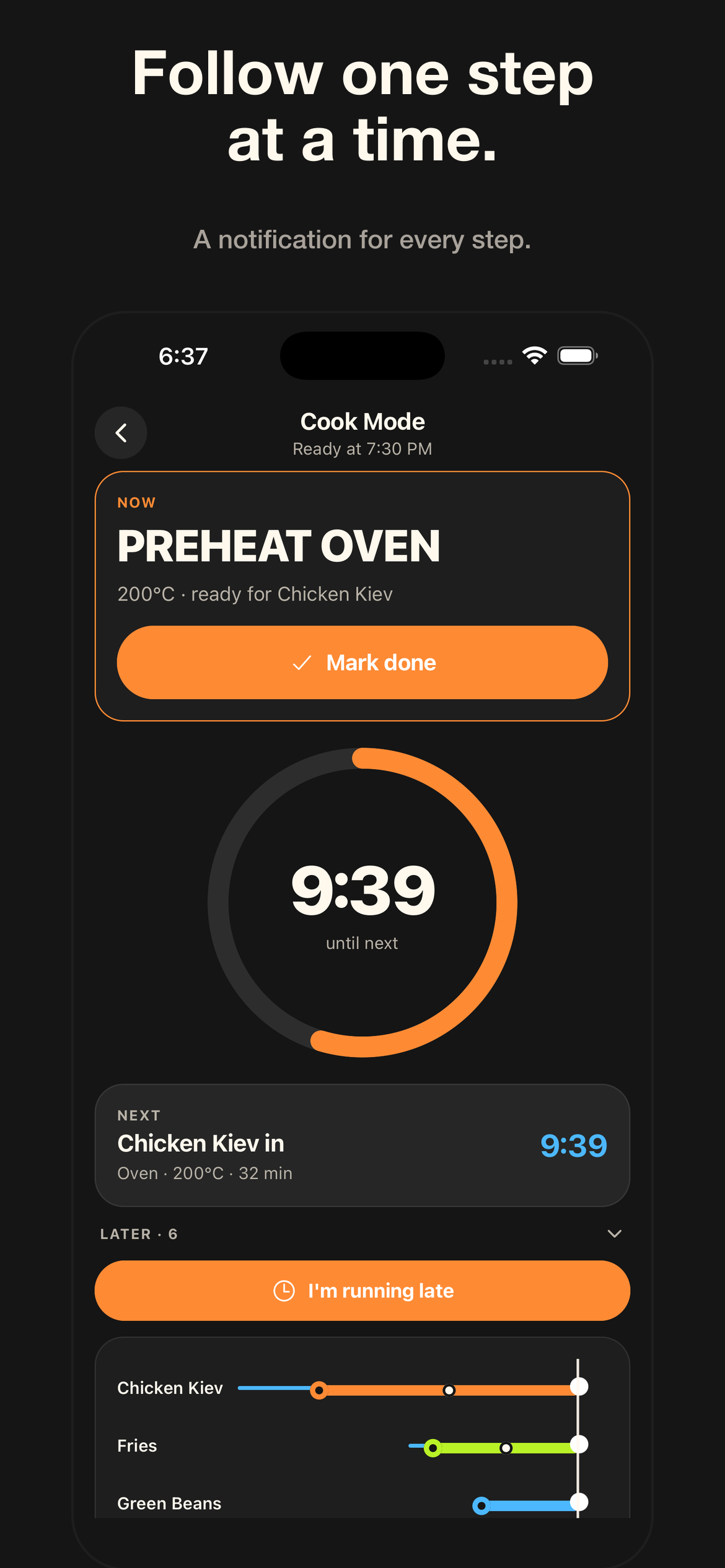
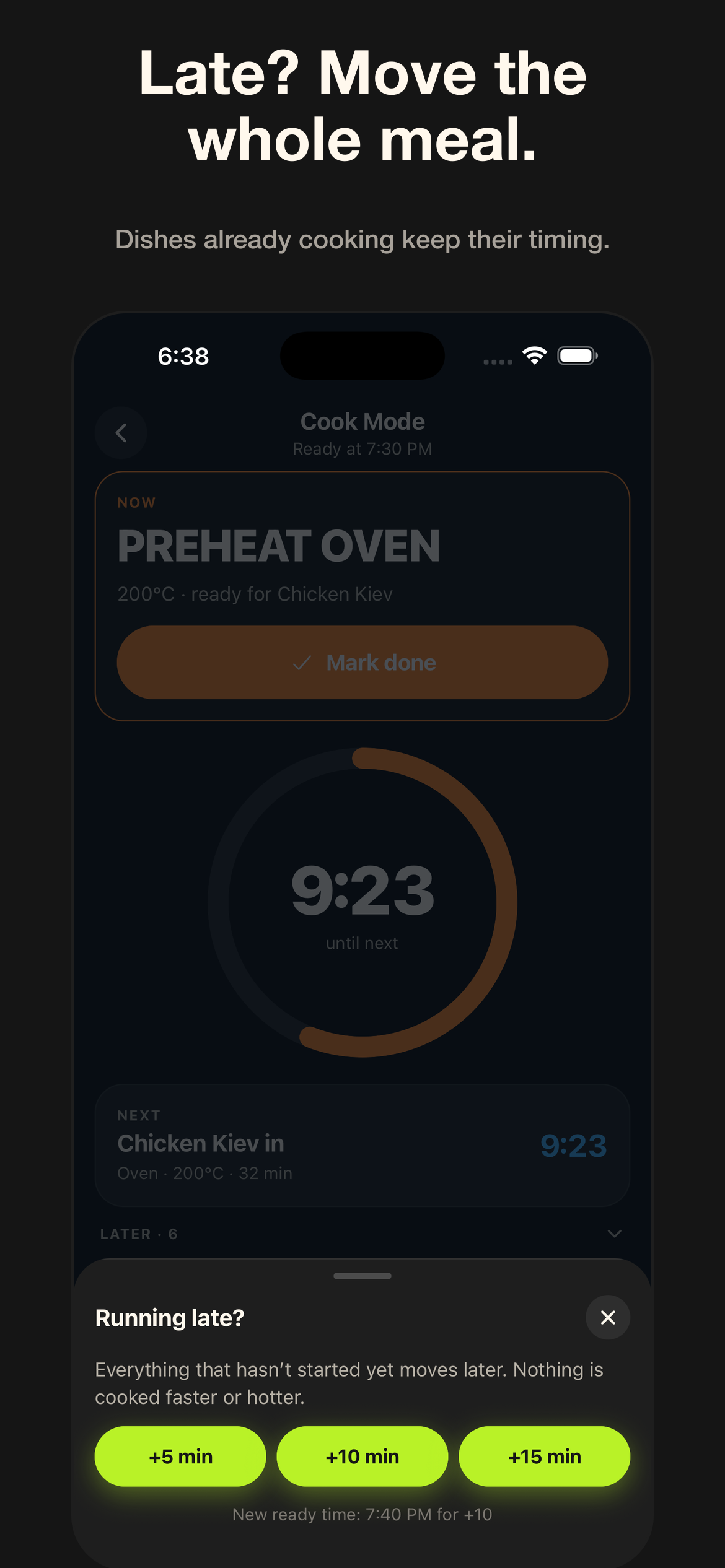
A big "now" step, a countdown to the next one, and a notification for every turn, shake and finish, even with the phone locked. Running late? Move the whole meal with one tap.
Screens
The whole evening on one phone
What it never does
You stay in charge of what's cooked
- Never shortens a cook time. Running late moves the meal later; nothing cooks faster.
- Never changes a temperature. Two dishes that need different oven heat are flagged, and you choose what to do.
- Never schedules unread instructions. Anything read from a photo or a link waits until you've compared every value with the packaging.
Tell it how many oven shelves, air-fryer baskets and hob rings you have, and it spots when two dishes need the same space.
Whatever is printed on the packet. Twelve- or twenty-four-hour clock, your choice.
Favourites and history live on the device. Cook a meal again in two taps.